Mobile Forensics Tool: Calibrate UFED in Detail
In the era of digital crimes, mobile forensics has become a cornerstone in criminal investigations. Smartphones carry a wealth of data, including messages, call logs, location history, app data, and more. Extracting this data safely, without altering the original evidence, requires sophisticated tools. One of the most widely used tools in the field is Cellebrite UFED, often complemented by Calibrate UFED for advanced processing and analysis.
What is Mobile Forensics?
Mobile forensics is the practice of recovering digital evidence from mobile devices in a way that maintains its integrity. Investigators use it to:
Track criminal activity
Recover deleted messages and files
Analyze app data (WhatsApp, Telegram, Instagram, etc.)
Investigate fraud, scams, or cybercrime
Provide evidence in legal proceedings
Key aspects of mobile forensics include data acquisition, data analysis, and reporting.
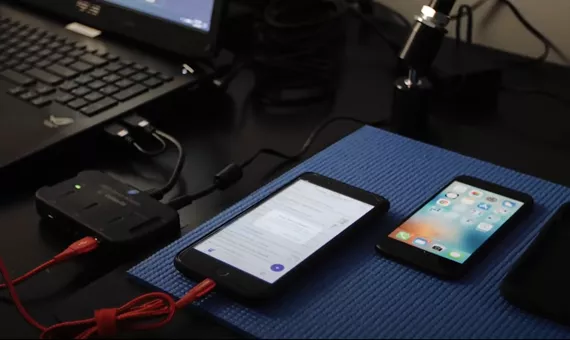

Introduction to UFED
UFED (Universal Forensic Extraction Device) is developed by Cellebrite. It allows investigators to:
-
Extract data from smartphones, feature phones, and tablets
-
Access locked or encrypted devices
-
Retrieve deleted or hidden data
-
Support a wide variety of operating systems (iOS, Android, Windows Mobile, BlackBerry, etc.)
Key Features:
-
Logical Extraction: Extracts data available to the device interface (contacts, messages, call logs).
-
File System Extraction: Accesses system files and deeper data storage.
-
Physical Extraction: Dumps the complete memory of the device for maximum data recovery, including deleted files.
-
App Data Extraction: Retrieves data from apps, social media, and cloud-based storage.
-
Password Bypass and Cracking: Helps bypass certain locks and PINs.
-
What is Calibrate UFED?
Calibrate UFED is a companion tool to UFED used for advanced processing, decoding, and analysis of extracted data. Once UFED extracts the raw data, Calibrate UFED converts it into a readable, structured, and investigative-friendly format.
Key Functions:
-
Data Decoding
-
Converts raw binary data into human-readable formats
-
Supports contacts, messages, call history, media files, app databases
-
-
Application Analysis
-
Decodes messaging apps like WhatsApp, Telegram, Signal, and more
-
Supports social media apps for forensic investigations
-
-
Data Filtering & Searching
-
Allows filtering by keywords, timestamps, or types of data
-
Helps investigators focus on relevant evidence
-
-
Timeline Reconstruction
-
Helps create a chronological timeline of device activity
-
Useful in reconstructing crime sequences
-
-
Reporting
-
Generates forensic reports that are court-admissible
-
Includes metadata, hash values, and visual representation of evidence
-
How UFED & Calibrate UFED Work Together
-
Device Connection: The mobile device is connected to UFED via USB or logical connections.
-
Data Extraction: UFED extracts logical, file system, or physical data.
-
Data Processing: Extracted data is imported into Calibrate UFED.
-
Decoding & Analysis: Calibrate UFED decodes and structures the data for easy investigation.
-
Reporting: Final reports are generated for legal or investigative purposes.
Why Use Calibrate UFED?
-
Efficiency: Handles large datasets quickly.
-
Accuracy: Maintains integrity and prevents alteration of original evidence.
-
Versatility: Supports multiple device types, operating systems, and applications.
-
Legal Compliance: Generates reports with chain-of-custody details for admissibility in court.
Popular Cases Where UFED is Used
-
Fraud Investigations: Extracting bank app transactions and messages.
-
Cybercrime: Recovering deleted emails, chat histories, and browser logs.
-
Criminal Tracking: Identifying call logs, GPS data, and app activity.
-
Internal Investigations: Corporate data breaches and employee misconduct investigations.
-